Your category. Your shortlist.
Add competing domains from the Competitors section in your workspace. Keep your comparison focused on the stores that matter to your customers.
 Log inGet started
 Compare the stores appearing for your product and collection searches. Find the keywords where you lead, where you trail and which pages deserve a closer look.

Compare average positions, see who appears in the top results, and review every keyword across your shortlist.
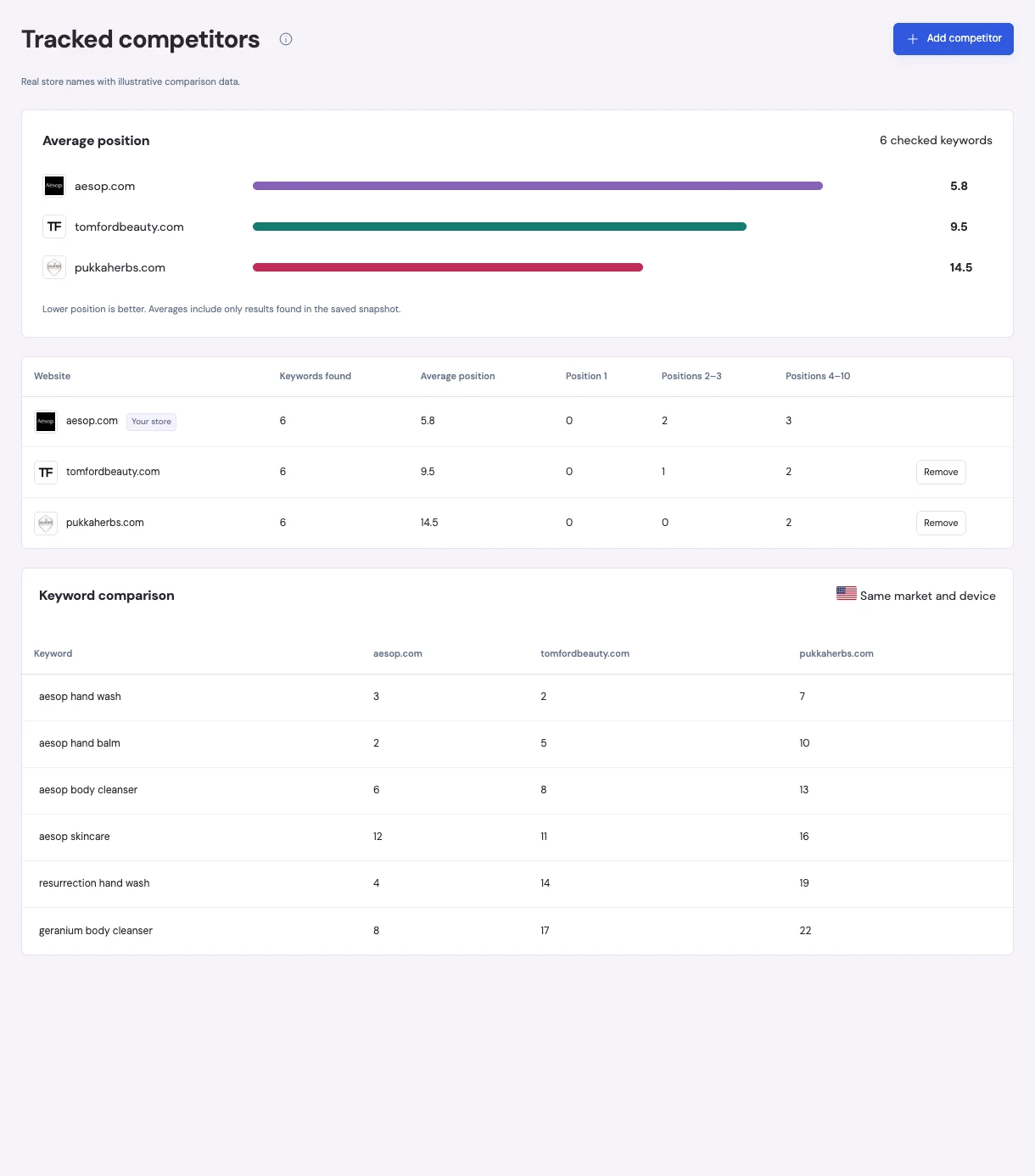
Add competing domains from the Competitors section in your workspace. Keep your comparison focused on the stores that matter to your customers.
Compare domains using the same tracked keywords, country and device. See which competitors appear in your saved organic search results.
Review competitor positions alongside your own. Open the saved SERP to inspect ranking pages and decide which product or collection to improve.
A competing store's position is a starting point. Review the page Google returned, its relevance to the search and the product or collection you want to rank.
Try the comparison view ↗Choose a search market and device, then connect your SerpApi key to retrieve Google results.
Open Competitors in the sidebar and build your shortlist.
Request a ranking check and review the competitors found in those returned results.
What competitor insights include.
Competitor comparisons reuse the saved organic results from your tracked keyword checks. Adding a competing domain does not trigger a separate ranking search.
The comparison uses the organic results returned by your ranking provider. A domain absent from that snapshot is marked not found. This does not mean it has no Google rankings or that we checked the top 100.
Results update when you request a ranking check. Automatic daily checks are not enabled yet.
This feature compares saved keyword positions and ranking pages. It does not provide live competitor traffic, revenue or backlink data.
Add the searches that matter and the stores you want to compare.
Create your workspace ↗