Shopify SEO checklist: 33 checks, in order.
Work from the top. Early checks show you what Google sees, and later ones build on them. Most steps need only your Shopify admin and a free Google Search Console account.
 By Carl Gulfven, Swedish entrepreneur with 20 years in ecommerce SEO
Reviewed 4 November 2026
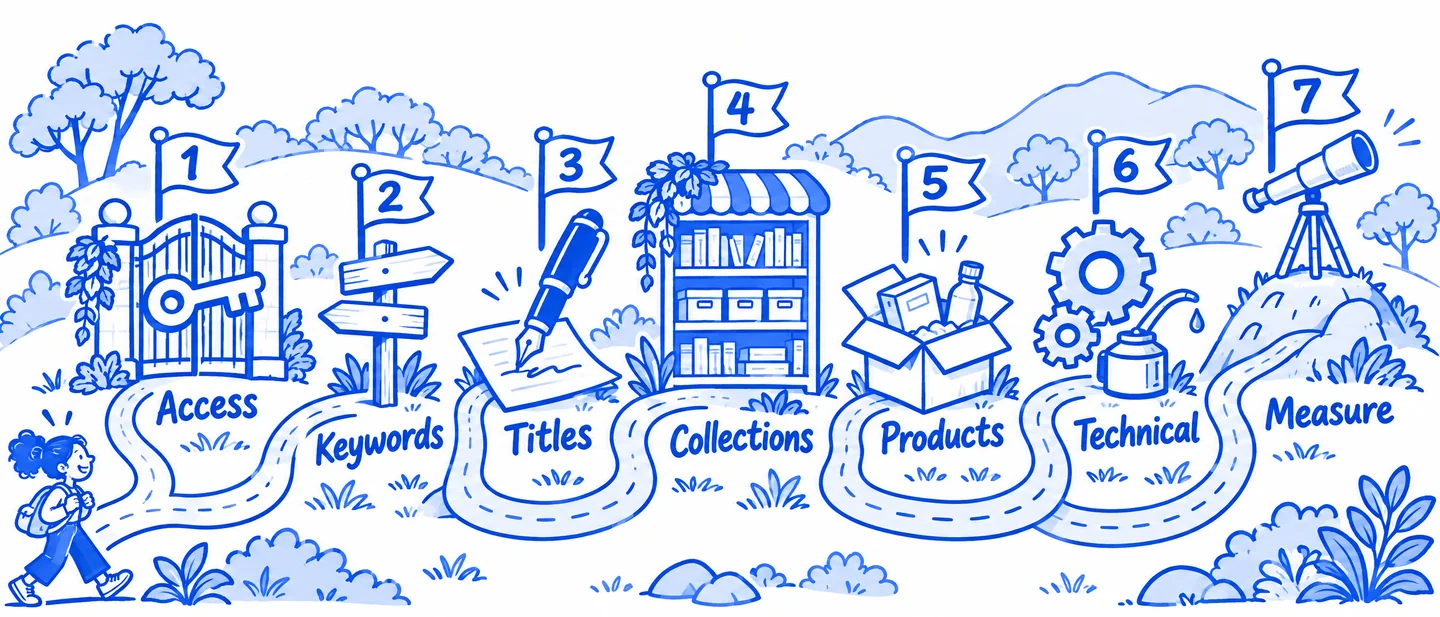
Get Google access in place
Do these first. Everything else is easier to judge once you can see what Google sees.
- 1
Turn off store password protection
Google cannot crawl a store in private mode, and you need it off to verify your domain.
- 2
Verify your store in Google Search Console
Add a property and use the HTML tag method, which goes in
theme.liquidbelow the opening head tag. A DNS TXT record also works. - 3
Submit your sitemap
Shopify generates it at
yourdomain.com/sitemap.xmland keeps it updated. Submit that one file under Indexing, then Sitemaps. If you use international domains, submit one for each domain. - 4
Redirect extra domains to your primary domain
Unless a domain is used for international targeting, it should redirect to the primary one.
- 5
Review the Pages report in Search Console
Look for important products and collections that are not indexed. Ignore the total count and focus on pages you want to sell from.
Match keywords to pages
Most Shopify SEO problems start here: several pages chasing one search, and valuable searches with no page at all.
- 6
Give each important collection one main keyword
Category searches such as "waterproof hiking boots" usually belong on a collection, not on a single product.
- 7
Give products their specific searches
Use product pages for searches that name a model, material, size or other exact detail.
- 8
Use blog posts for questions
Searches like "how to clean linen sheets" want an answer, not a product grid. Link from the answer to the matching collection.
- 9
Find pages competing for the same keyword
In Search Console, open a query and check which pages receive impressions. If two pages take turns, choose one and link to it from the other.
- 10
Create collections for real gaps
If people search for a category you stock but have no page for, build a collection, as long as it has enough products to be useful.
Write titles, descriptions and headings
You edit these in the search engine listing section of each product, collection, page and post.
- 11
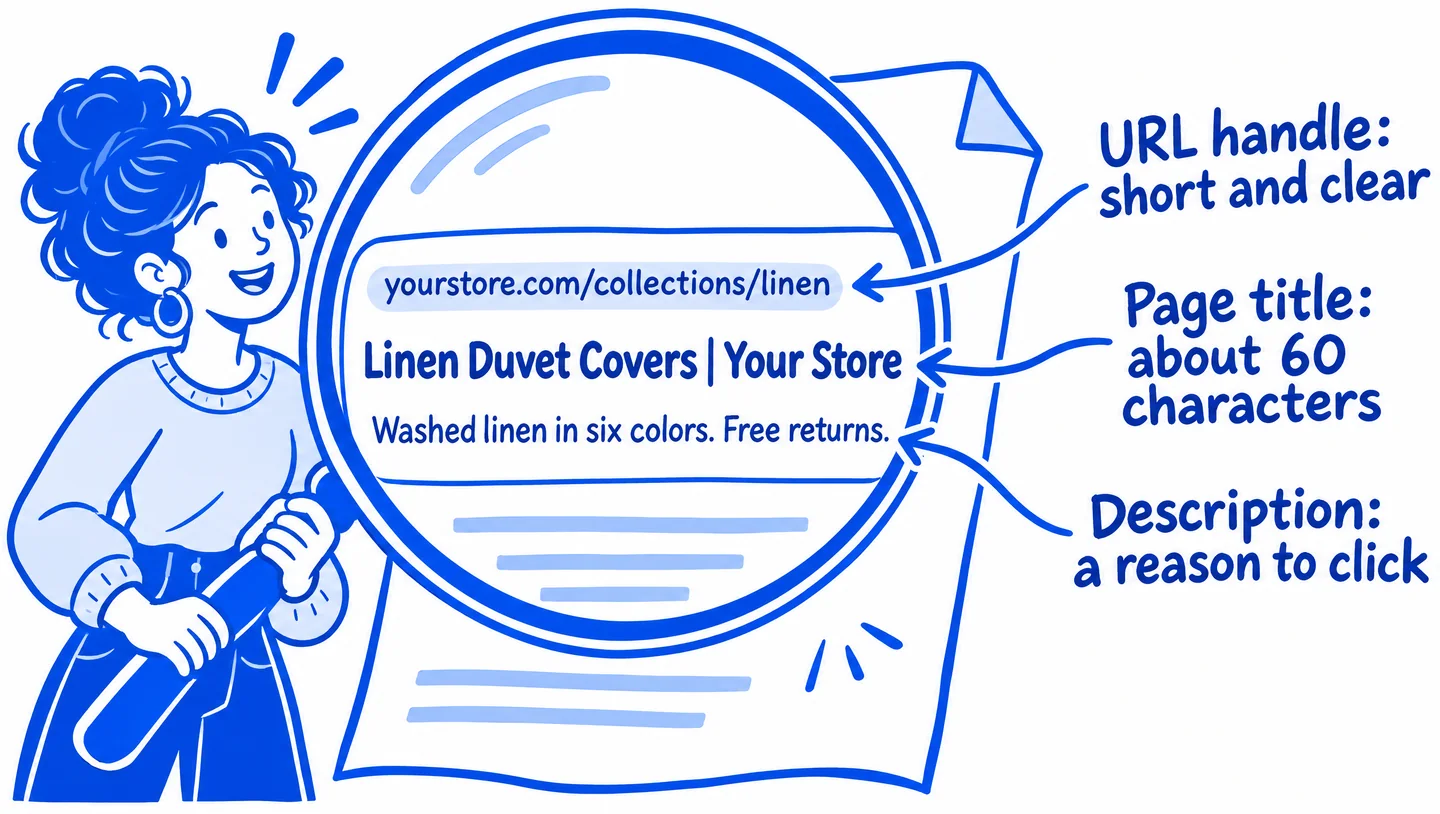
Write a unique page title for each page
Shopify allows 70 characters and suggests keeping to 60 so results are less likely to be shortened. Put the main keyword near the start.
- 12
Set your homepage title and description
These are separate from your other pages. Find them under Online Store, then Preferences.
- 13
Write a unique meta description
Aim for up to 160 characters of plain language that gives a shopper a reason to click. It helps clicks more than rankings.
- 14
Use the main keyword in the Title field
Shopify uses the product, collection, page or post title to generate the H1, so this field sets the heading.
- 15
Check the output before blaming Shopify
Google can rewrite titles and descriptions. View the page source: if the tags match what you entered, your setup is correct.
Improve collection pages
Collections are usually the best match for category searches. Our collection page guide covers each step in more detail.
- 16
Add written copy to priority collections
Help shoppers choose, using details a product grid cannot show. Shopify suggests at least 250 words of descriptive text on a page.
- 17
Link to related collections
Connect broad categories with narrower ones so shoppers and crawlers can move between them.
- 18
Add priority collections to your navigation
Pages you care about should be easy to reach from the main menu or from another strong collection.
- 19
Check pagination links
Google generally follows links in
<a href>tags and does not click buttons, so products beyond page one need crawlable links.
Improve product pages
Good product pages answer the questions that would otherwise stop someone from buying.
- 20
Replace manufacturer descriptions
Other sites may use the same text. Write your own, including materials, sizing, fit and use.
- 21
Add alt text to product images
Describe what the image actually shows, in readable phrases. It also helps shoppers who use screen readers.
- 22
Test your product structured data
Current Shopify themes include it by default. Run a product page through Google's Rich Results Test, especially if you use an older theme, a custom theme or a reviews app.
- 23
Link products back to their collection
Breadcrumbs or a clear collection link help people keep browsing and support the collection page.
- 24
Decide what happens to discontinued products
Redirect to the closest replacement or collection when there is one. Keep the page if the product is only temporarily out of stock.
Check the technical basics
Shopify handles a lot for you. Check these, but do not spend weeks here while your pages are thin.
- 25
Leave robots.txt alone unless you have a clear reason
Shopify says its default file works for most stores. It already keeps filtered collection URLs like
/collections/*+*from being crawled. - 26
Link to clean product URLs
Products can load at both
/products/nameand/collections/category/products/name. Confirm the canonical tag points to the/products/version. - 27
Keep a redirect when you change a URL handle
Add a URL redirect from the old handle to the new one so visitors and existing links still arrive at the page.
- 28
Test real product and collection pages for speed
Do not test only the homepage. Remove apps you no longer use and check that large images and scripts have not piled up.
- 29
Test your templates on a phone
Check that menus, filters, product options and add to cart work well at phone width.
Measure what changes
Without a baseline you cannot tell which work helped. Changes can take weeks to appear, so note what you changed and when.
- 30
Save your starting rankings
Record your priority keywords and their positions before you make changes, for each country and device you sell to.
- 31
Follow pages, not only keywords
Note which URL ranks for each keyword. A product taking the place of a collection is useful to know.
- 32
Request indexing for important changes
Use URL Inspection in Search Console. Google can still take days to a few weeks to update its listing.
- 33
Compare clicks and sales by landing page
Use Search Console for clicks and your analytics for revenue. A lower ranking on a page that sells can matter more than a higher one that does not.
Real page titles to compare.
Three collection page titles from real stores, all within Shopify's suggested 60 characters:
- Ruggable washable rugs: "Washable Rugs: Stain-Resistant & Easy Clean | Ruggable US" (57 characters)
- Brooklinen duvet covers: "Duvet Covers | Over a Decade of the Best in Bed | Brooklinen" (60 characters)
- Parachute duvet covers: "Duvet Covers - Parachute Home" (29 characters)
Captured 5 November 2026 from public pages, which may have changed since. These stores are independent of Rankplain and did not take part. They appear to run on Shopify, based on Shopify code in their page source. We cannot see their rankings or results, so these are examples of page structure, not proof of what causes rankings.
Sources
- Shopify Help Center: Adding keywords for SEO
- Shopify Help Center: Finding and submitting your sitemap
- Shopify Help Center: Editing robots.txt.liquid
- Google Search Central: Pagination and incremental page loading
Shopify and Google change their products and advice, so check their current documentation before making large changes. Following a guide does not guarantee rankings. Last reviewed 4 November 2026.